Prompt library
Open Settings → Prompts to see the library:
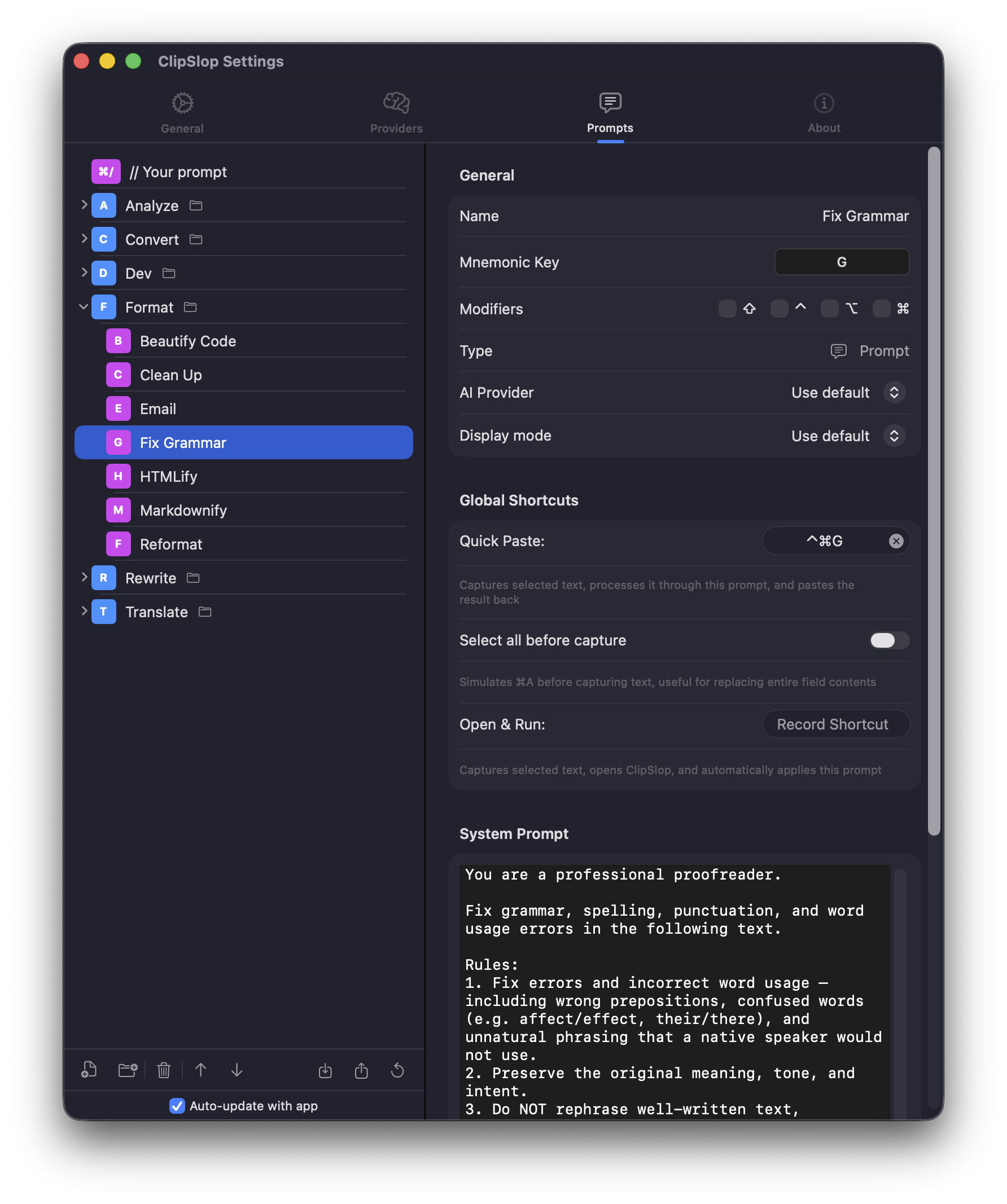
For each prompt you can configure:
- Name and mnemonic. The single key used to pick it from the prompt tree.
- System prompt. The instruction sent to the model.
- Provider and model. Override the global default for this prompt only.
- Display mode. Plain text, Markdown, HTML.
- Global shortcut. Optional Inline Run / Run in Editor binding.
What you can do
- Add new prompts and folders. Group related prompts; folders have their own mnemonic.
- Reorder. Drag-and-drop within a folder.
- Generate with AI. Describe what you want — ClipSlop writes the system prompt for you. See Generate prompts with AI.
- Export / Import. Share configurations as JSON. iCloud Sync mirrors prompts across Macs.
Edit it by chatting
Don't want to click through the library by hand? The Settings Assistant is a floating chat window (⌃⌘⌥P) where an AI assistant makes these same edits for you — create, edit, move, and bind prompts in plain language, approving each change before it's applied.
Building a custom prompt
See Build a custom prompt for a step-by-step.
One-off prompts
Don't bother saving a prompt you'll only use once. From the panel, type // followed by an instruction — ClipSlop runs it as a one-shot custom prompt without adding it to the library. Inline Run binds the same idea to ⌃⌘/.
Per-prompt provider overrides
Use a fast model (e.g., gpt-4o-mini or local Ollama) for grammar and formatting; use a smarter one (claude-sonnet, gpt-4o) for analysis and complex rewrites. Configure the override in the prompt detail view.