Settings overview
Open Settings from the menu-bar icon or press ⌘,. Six tabs: General, Providers, Prompts, Quick Access, Magic, and About. Keyboard shortcuts and iCloud sync are configured inside General:
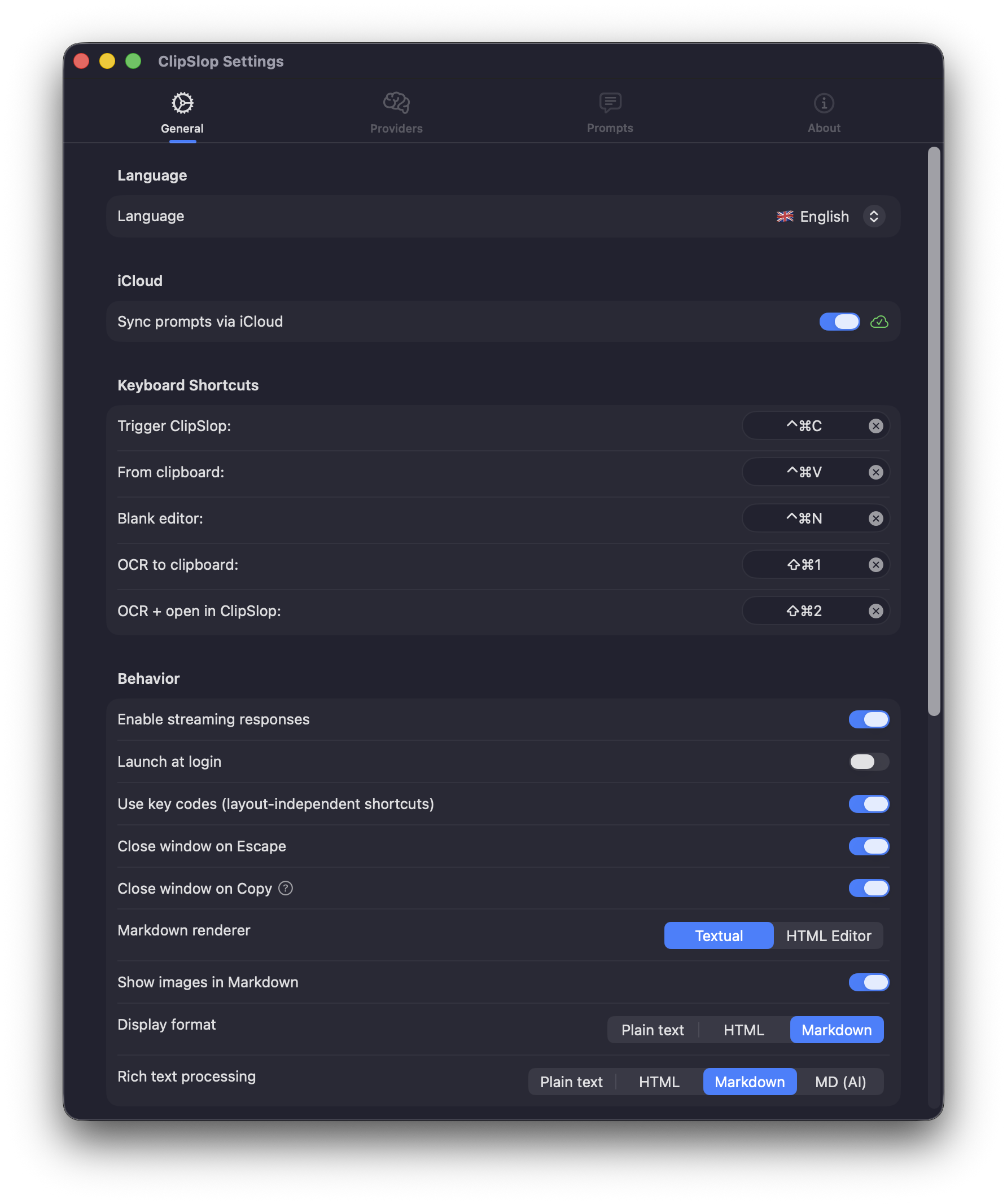
General
The home tab. Covers:
- Appearance — light, dark, or follow system. Opacity and panel size.
- Launch at login — keep ClipSlop running automatically.
- Display mode default — plain / Markdown / HTML for new prompts.
- Keyboard Shortcuts — the global shortcut for the Settings Assistant (⌃⌘⌥P by default) lives here.
Prompts
The prompt library — every built-in prompt and your custom ones, with mnemonic, system prompt, provider override, display mode, and global shortcut bindings. See Prompt library. Prefer to edit it by talking? The Settings Assistant makes changes for you from a chat window.
Providers
Configure ChatGPT (OAuth), OpenAI, Anthropic, Ollama, OpenAI-compatible endpoints, and CLI tools. Pick a default and set per-provider temperature / reasoning effort — each provider type offers the effort values its API accepts (ChatGPT up to xhigh, Ollama from none to max). See ChatGPT for the easiest starting point, or Pick a provider for the full menu.
With no provider selected, the tab shows Model routing: which provider serves each engine role (Magic Button generation, Settings Assistant chat), an optional minimum cost class and request timeout per role, token spend for today / this month, and configuration warnings. Provider configs live in ~/.clipslop/providers.yaml (API keys stay in the Keychain); role bindings and fallback chains in ~/.clipslop/roles.yaml — both hand-editable, both hot-reloaded.
Magic
The Magic Button (⌘⌃M) engine: the generation system prompt, core files (identity, writing style, constraints, aliases), workflow cards, and config.yaml tuning — all as editable files with reset-to-default and validation badges. The opt-in full-content debug log toggle lives here too (it flips debug_log_enabled in config.yaml), as does Install Agent Skill… — export the built-in Agent Skill that teaches external AI agents to manage ClipSlop.
Keyboard
Remap the four global app shortcuts:
| Default | Action |
|---|---|
⌃⌘C | Trigger ClipSlop with selected text |
⌃⌘V | Process clipboard |
⌃⌘N | Blank editor |
⇧⌘2 | Screen capture (OCR) |
Per-prompt shortcuts live in the Prompts tab. See Keyboard shortcuts for the full customisation guide.
iCloud Sync
One toggle — when enabled, your prompt library mirrors across all Macs signed into the same iCloud account. See iCloud sync.