Build a custom prompt
Let's build Translate to Pirate — a one-key shortcut that takes whatever you've selected and rewrites it as a sea shanty.
1. Open the prompt library
Press ⌘, or click the menu-bar icon → Settings → Prompts.
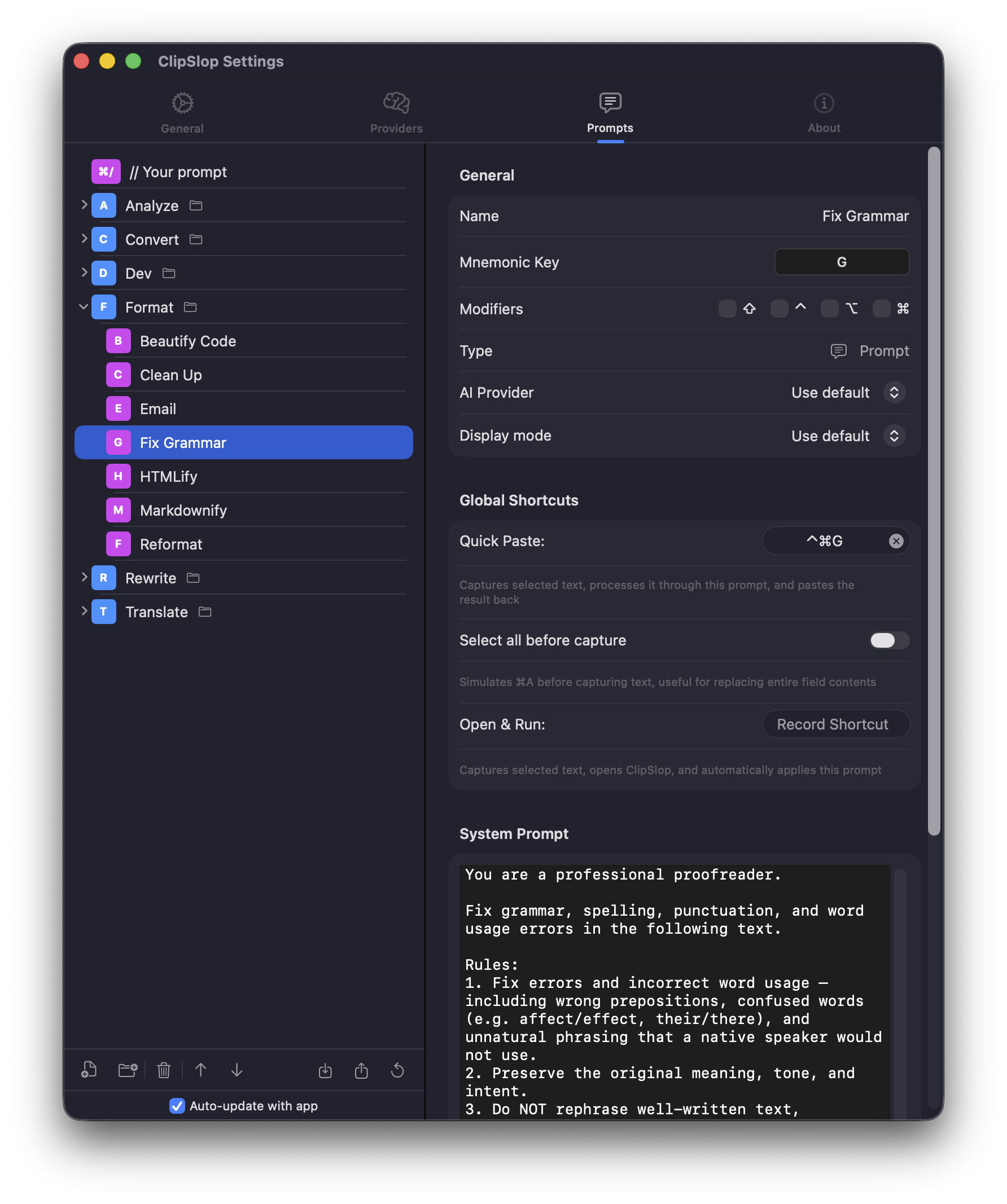
2. Add a new prompt
Click + New prompt at the bottom of the library. Or duplicate an existing one if you want to start from a working baseline.
3. Fill in the fields
| Field | Value |
|---|---|
| Name | Translate to Pirate |
| Mnemonic | P — single letter, lives under the Translate folder |
| System prompt | Rewrite the user's text as if a 17th-century pirate said it. Keep meaning intact. |
| Provider | Default (or override per prompt — Ollama for offline, ChatGPT for richer style) |
| Display mode | Plain text |
| Global shortcut · Inline Run | Optional — ⌃⌘P if you want a hotkey |
4. Save and test
Save the prompt. From any text field, select some text and either:
- Press ⌃⌘P if you set a Inline Run shortcut, or
- Press ⌃⌘C → T → P to navigate to it manually.
Result: pirate text. Hopefully.
Folders
Group related prompts under a folder — folders also have a mnemonic, so navigation stays one-keypress per level. Drag-and-drop in the library reorders without breaking shortcuts.
Sharing
Settings → Prompts → … → Export dumps the library as JSON. Share it with a teammate, or import on a fresh Mac. iCloud Sync (see iCloud sync) does the same thing automatically across your own Macs.