Stats dashboard (wolt stats)
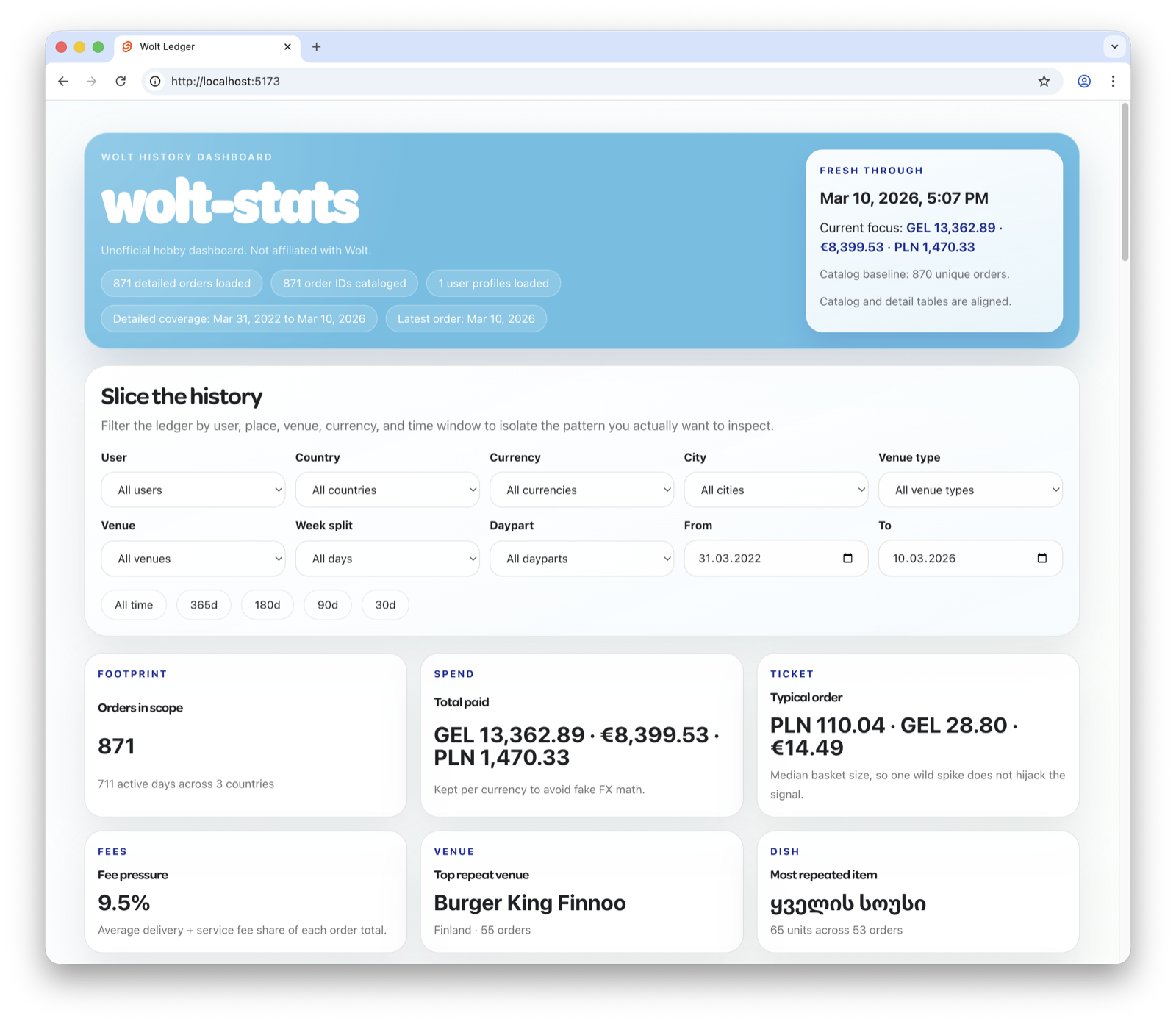
wolt stats brings your Wolt order history home. One command downloads the
wolt-stats dashboard bundle, syncs
every order Wolt has on file into a local SQLite database, serves the dashboard
at http://127.0.0.1:5173, and opens your browser. Nothing leaves your
machine — the dashboard is a static SvelteKit app reading the SQLite file in
the browser via sql.js.
Quick start
# First run: download bundle, sync history, open dashboard
wolt stats

# Subsequent runs: incremental — only fetches new orders
wolt stats

# Re-open the dashboard without re-syncing
wolt stats --no-sync

# Force a full re-scan of every order
wolt stats --resync

# Serve without opening a browser (e.g. on a server)
wolt stats --no-open
What it tracks
The sync persists everything Wolt returns from the order-history endpoints:
- Catalog summaries — purchase id, payment timestamp, venue, currency, totals, short item summary, status, delivery method, main image.
- Full order details — line items with options, payments (provider, card name, credits applied), delivery distance and base price, service fee, discounts, gift cards, order adjustment rows, creation/delivery times.
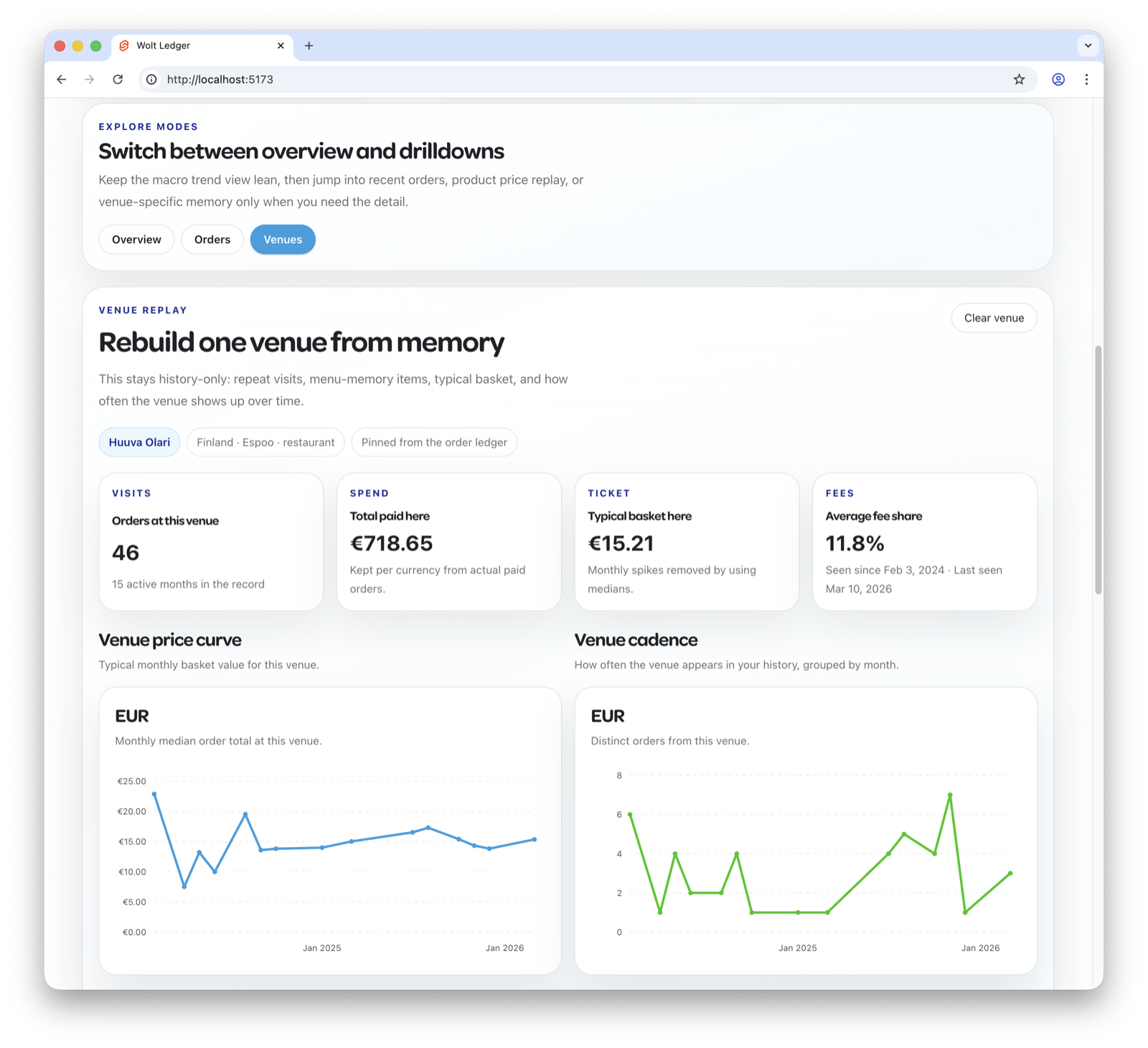
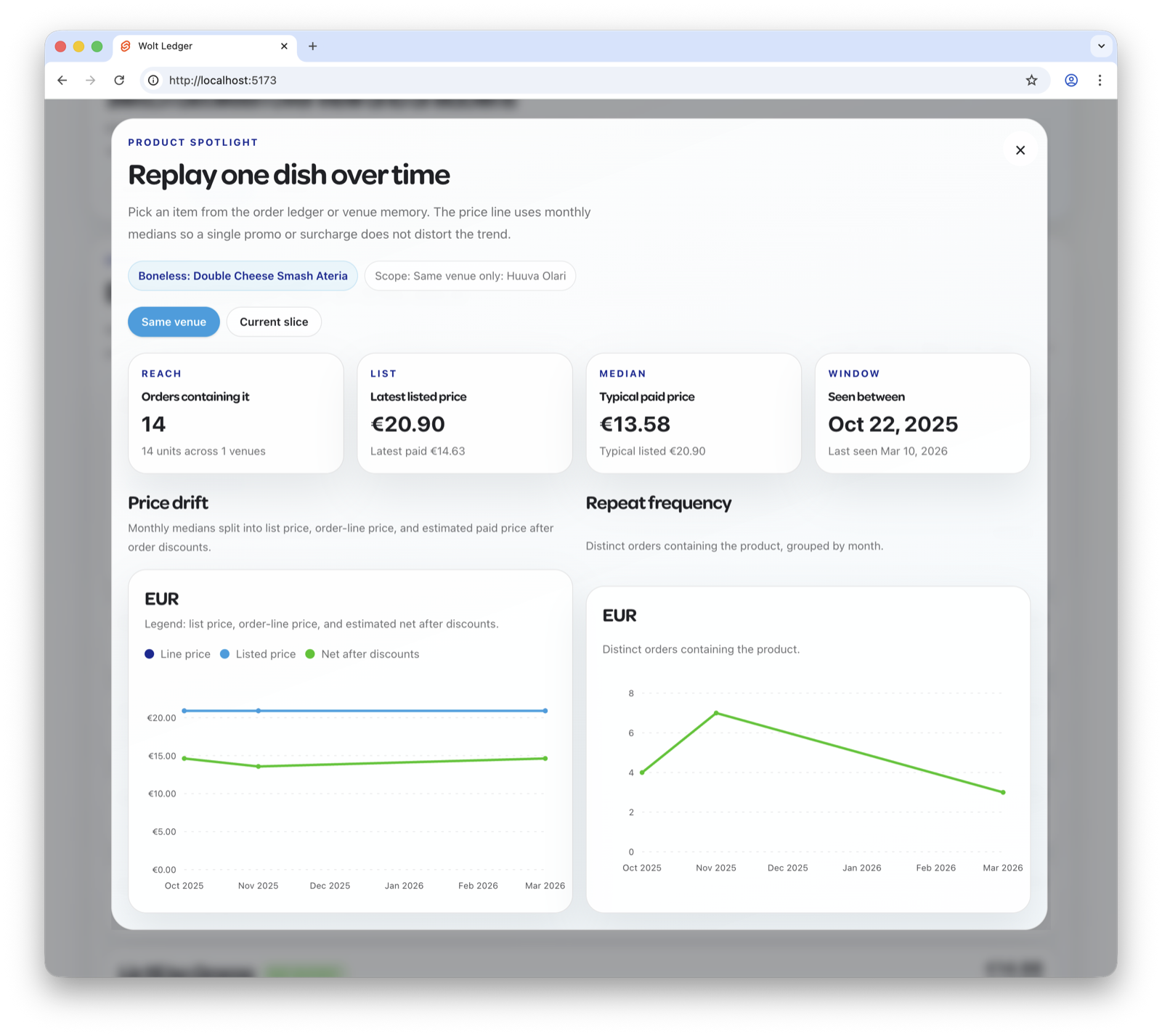
From those rows the dashboard derives spend by month, top venues, item
leaderboards, weekday/hour-of-day patterns, average order size, delivery-fee
breakdowns, and more. The full schema lives in internal/service/statssync/store.go.
Where data lives
~/.wolt/stats/
├── bundle/                       # downloaded dashboard release (versioned)
│   └── v0.2.1/                   # extracted SvelteKit static site
└── db/
    └── wolt-history.sqlite       # your sync target — read by the dashboard
The directory location is overrideable with --stats-dir or $WOLT_STATS_DIR.
Sync model
The catalog phase pages backwards through /v1/order_history until it hits an
order that's already in the local DB (incremental mode), then stops. The detail
phase fetches /v1/order_history/purchase/<id> for every catalog row that
doesn't yet have a orders table entry.
Two phases share a single inter-call pacer:
- Baseline pacing is 1.1 s/call. Empirically this is at or under Wolt's per-token throttle ceiling.
- Each
HTTP 429response bumps the pacer by +500 ms for the remainder of the run (capped at +5 s extra), so the sync settles into whatever sustained rate your account actually permits. - Individual 429 retries use exponential backoff (2s → 4s → 8s → …, capped 60s)
and honor any
Retry-Afterheader. - If retries are exhausted on a single order, the run surfaces a resumable error pointing at where it stopped. Re-running picks up where it left off.
Flags
| Flag | Default | Effect |
|---|---|---|
--no-sync | false | Skip the order-history sync, serve whatever is already in the local DB. Useful for re-opening the dashboard quickly. |
--no-open | false | Don't launch the browser. Pair with --port for headless/server use. |
--resync | false | Force a full backfill instead of incremental. Use this if the catalog stop heuristics miss an order or if you've deleted/edited rows. |
--no-check-updates | false | Skip the GitHub release check. The cached bundle is reused as-is. |
--bundle-version | latest | Pin to a specific wolt-stats release tag (for example v0.2.0). |
--port | 5173 | Preferred HTTP server port. Auto-picks +1 if the port is busy. |
--stats-dir | ~/.wolt/stats | Override the install/data directory. Also reads $WOLT_STATS_DIR. |
All global flags (--format, --verbose, --locale, etc.) apply too.
Privacy
Your order history never leaves your machine. The dashboard is plain static
files served from 127.0.0.1 — no telemetry, no third-party requests, no
analytics. The only network traffic is:
- wolt-cli → Wolt's consumer API, with your saved access token, to fetch order history (same endpoints your browser already calls).
- wolt-cli → GitHub, once per run, to check for a newer dashboard release
(suppressible with
--no-check-updates).
The on-disk SQLite is owner-readable (0o600) under ~/.wolt/stats/db/.
Implementation notes
- Source for the sync engine:
internal/service/statssync/. - Source for the embedded HTTP server:
internal/service/statsserve/. - The bundle is fetched from wolt-stats releases; pinning is by tag.
- SQLite is opened via
modernc.org/sqlite(pure-Go, no CGO).